Buying
MotionPrimeX Batch Verify: Match Your Bottle to Your Order
MotionPrimeX orders carry two seller reference codes: lot MPX-26/MO-4293 and CoA reference MPX-4293-26-MO. Use them to match the bottle in your hand with your order record. They are tracking codes, not lab proof. No certificate of analysis document is published, so the codes say nothing about purity or strength on their own.
Written by the Motionprimexx editorial teamUpdated
Two codes
What are the MotionPrimeX lot and CoA codes?
The lot code is MPX-26/MO-4293 and the CoA reference is MPX-4293-26-MO. Both are reference codes issued on the seller side.
A lot code groups bottles made in the same run. A CoA reference points to a batch record. Neither one is a test result you can read.
Think of them as a receipt number for the batch. They help you and the order desk talk about the same bottles.
At a glance
What does each MotionPrimeX reference code prove?
Each code links a bottle to a record. Neither confirms what is inside the capsules.
| Code | Value | Useful for | Does not show |
|---|---|---|---|
| Lot | MPX-26/MO-4293 | Matching bottles to a production run; refund and problem reports | Purity, strength or contaminant levels |
| CoA reference | MPX-4293-26-MO | Asking the seller for a batch record by number | Lab results; the CoA document itself is not published |
| Order ID | In your confirmation email | Every refund, tracking or return request | Anything about the batch |
Why bother
Why match a MotionPrimeX bottle with your order?
A match gives you a clean record if anything goes wrong. With the lot and order ID together, the order desk can trace your bottles quickly.
It also helps with the 60-day guarantee. A refund request moves faster when your order ID, dates and bottle details sit in one place. See our guarantee page for the terms.
And it is a simple fake check. A bottle from an unknown reseller with no matching order is harder to trace.
Step by step
How do you verify a MotionPrimeX batch?
Six steps, about ten minutes, done once when the box arrives.
Do these steps before you open the first bottle. Doing them in order means a damaged seal is caught before use.
Find your order ID
Open the confirmation email from checkout. Copy the order ID into your notes.
Check the outer box
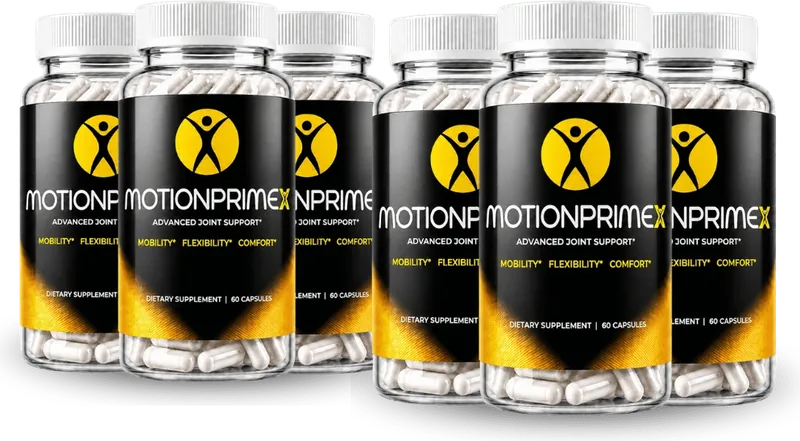
Make sure the box count matches your pack: 2, 3 or 6 bottles.
Inspect each seal
Every bottle should have an intact seal. Set aside any bottle with a damaged one.
Read the lot code
Find the printed lot on each bottle. Compare it with the seller reference MPX-26/MO-4293.
Note the CoA reference
Write down MPX-4293-26-MO next to your order ID. Use it if you ask the desk for a batch record.
Photograph and file
Take photos of the label, lot code and seal. Save them with the order email.
Limits
Does a matching lot code mean MotionPrimeX passed lab tests?
No. A match shows your bottle and your order line up. It does not show what a lab found, because no lab report is published.
Read our testing and quality review for what is and is not on record.
Problems
What if the MotionPrimeX codes do not match?
Stop and call the order desk at +1 (302) 200-3480 before you take any capsules. Codes can differ for ordinary reasons, such as a newer production run.
Only the order desk can say whether a different code is expected. Give them your order ID and a clear photo of the bottle.
Do not take capsules from a bottle whose seal is torn, loose or gone, even if the codes match. Set it aside and report it.
Keep the bottle and the outer box until the desk replies. They may ask about the shipping label or packing slip.
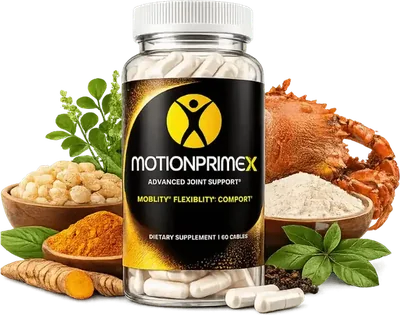
Try MotionPrimeX for 60 days2 capsules a day · from $49 a bottle · free U.S. shipping on 3 or 6 bottles
Order nowRecords
What MotionPrimeX records should you keep?
Keep four things for at least as long as the 60-day guarantee runs. A phone folder works well.
Order email
It holds your order ID, pack size and tracking link.
Label photo
One clear shot of the front and one of the panel.
Code photo
The printed lot code and any date stamp, in focus.
Notes
Start date, any reaction, and who you spoke to at the desk.
Timing
When should you check the MotionPrimeX codes?
Check on delivery day, then again each time you open a new bottle. A 6-bottle pack covers about 180 days, so the last bottle may be opened months later.
- Delivery day
Run all six steps above for every bottle in the box.
- Each new bottle
Look at the seal again before the first capsule.
- Before day 60
If you plan to ask for a refund, gather your order ID and photos now, while the window is open.
- On reorder
Expect a new lot code if the seller has moved to a newer run. Log it next to the new order ID.
If you react
What should you do if MotionPrimeX causes a reaction?
Stop taking it and call your doctor. Bring the bottle, so they can read the full label.
Then tell the order desk and give them the lot code. That links your report to a specific run. Our side effects page lists what each ingredient can cause.
Contact
Who handles MotionPrimeX batch questions?
The BuyGoods order desk handles batch, order and refund questions. Call +1 (302) 200-3480 or email [email protected].
Our site inbox, [email protected], fixes page errors and answers general notes. It has no access to orders or lot records. Delivery tracking is covered on our shipping page.
FAQ
MotionPrimeX batch verify FAQ
What is the MotionPrimeX lot number?
The seller reference lot is MPX-26/MO-4293. It groups bottles from one production run. Use it to match your bottle with your order and to report a problem. It is a tracking code, so it says nothing about lab results, purity or strength.
Is the MotionPrimeX CoA reference a lab report?
No. MPX-4293-26-MO is a seller reference code, not a certificate of analysis. No CoA document has been published. You can quote the code when you ask the order desk whether a batch record is available for your bottles.
Where do I find the lot code on a MotionPrimeX bottle?
Lot codes are usually printed or stamped on the label, base or neck of a bottle. We have not seen a photo of where MotionPrimeX prints it. Look around the label edges and the bottom, then photograph whatever code you find.
Can I verify MotionPrimeX online with the lot code?
No online lookup tool is published. To check a lot, call the order desk at +1 (302) 200-3480 or email [email protected] with your order ID and the code. Ask them to confirm the bottle belongs to your order.
What if my MotionPrimeX lot code is different?
A different code does not automatically mean a problem, since new production runs get new codes. Do not take the capsules until you check. Call the order desk with your order ID and a photo, and ask whether that code is expected.
Do I need the lot code for a MotionPrimeX refund?
The order ID is the key item for any refund request. The lot code is a useful extra. The sales page says refunds within 60 days are requested by email, with no bottle return needed. Confirm the steps with the order desk first.
Do all bottles in a MotionPrimeX pack have the same lot?
That is not published, so do not assume it. Larger packs may include bottles from more than one production run. Photograph the lot code on each bottle when the box arrives. If codes differ, ask the order desk to confirm all of them belong to your order.
Who wrote this
Written and reviewed by
A small team that reads the product label and sales page line by line, checks every number against public health sources (NIH, NCCIH, NIAMS, CDC, MSKCC, FDA, FTC) and rewrites it in plain English. We do not write for the manufacturer, and we update a page whenever the label, the prices or the evidence changes.
Last updated . Read our editorial standards and how we check reviews. This website is run by a U.S. authorized merchant, not by the manufacturer. We earn money when you buy through our order links.
Keep reading
More about MotionPrimeX
Testing and quality
What the MotionPrimeX quality badges do and do not prove, plus the checks you can run on your own bottle.
Read more
Guarantee
How the MotionPrimeX 60-day money-back guarantee works, and the five steps to claim it.
Read more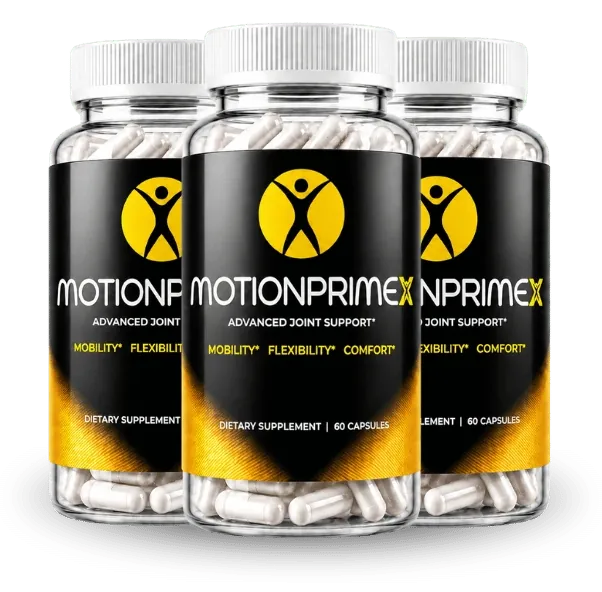
Shipping
What MotionPrimeX shipping costs for each pack, where tracking shows up, and the steps for a lost parcel.
Read moreU.S. authorized MotionPrimeX merchant
Ready to try MotionPrimeX?
Pick a pack. Two capsules a day, and every pack lasts at least 60 days, the whole money-back window.
- Secure checkout
- 60-day money-back guarantee
- Ships from the U.S.